Field Collection
Connect media, run approved profiles, and process evidence where the work starts without rebuilding configurations.
Shadow and Shield · Shield 399
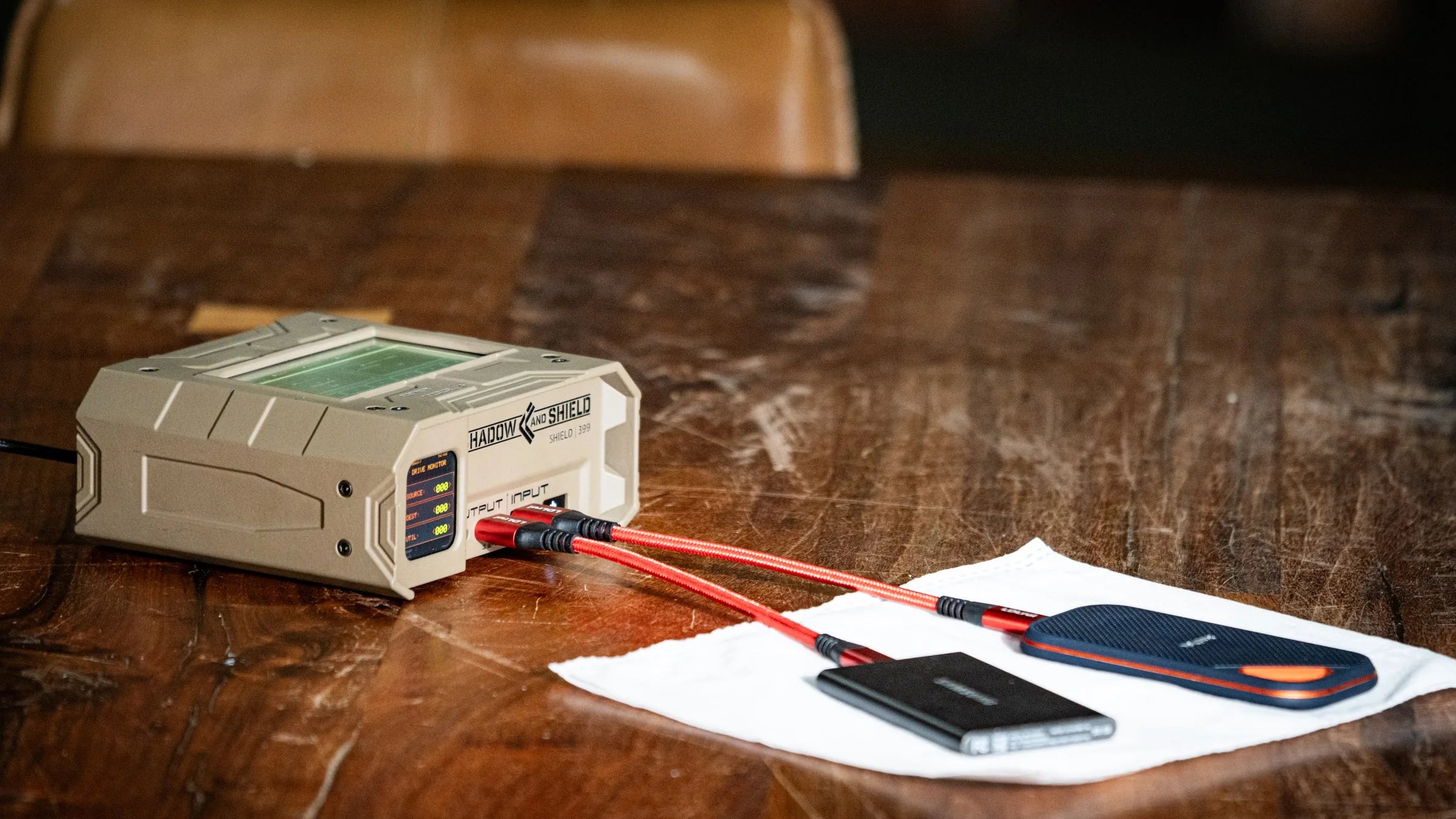
Shadow and Shield launches with Shield 399: a field-ready forensic toolkit, touchscreen appliance, and network dashboard for acquisition, sanitization, analysis, case work, and repeatable tool execution.
Technical users configure profiles once. Operators run approved work from the appliance. Tool execution, case activity, metrics, and results remain reviewable from the dashboard.
excuses
The motto came from the resilience that has been required to keep moving this project forward.
When something is hard, unknown, or frustrating; find a way. Reset, approach differently, persist, and figure it out.
"I don't know the first thing about touch screens and microcontrollers." Find a way. "I don't know how to have a case manufactured or edit 3D models." Find a way. "I can't figure out why the screen is locking up." Find a way. "I have tried for weeks and it's not working..." Find a way.
Why It Exists
Shield 399 came from deployed work where data collection and processing outpaced operator capacity and every tool added another setup burden.
Built For
Designed for teams that collect, process, review, and hand off digital evidence across field and lab environments.
Connect media, run approved profiles, and process evidence where the work starts without rebuilding configurations.
Review tool execution, hashes, file listings, keyword results, reports, and exports from the dashboard with case context attached.
Manage users, roles, organizations, cases, selected metadata sync, and repeatable tool access across controlled teams and deployments.
Platform Overview
Technical users configure tool profiles, set up cases, and review execution history through the network dashboard. Operators run the configured work from the Shield 399 touchscreen. Case context flows between both surfaces so activity, results, and review stay connected.
A technical expert configures a forensic tool once. The saved profile becomes repeatable work that any approved operator can run from the appliance.
Field operators run saved tool profiles directly from the touchscreen. Same configuration, same outputs, every operator.
A network dashboard surfaces queue state, execution history, case activity, and metrics. Accessible from a laptop, tablet, or phone on the approved network — or paired directly to the appliance.
Cases, evidence records, users, organizations, and selected operational metadata can be synced across configured deployments.
Core Capabilities
Eight capability areas operators actually use — configured by a technical user, executed from the appliance, and reviewable with case context. Each one has a deeper page when you need the scope, caveats, and outputs.
Image connected media to E01, Ex01, AFF4, DD/RAW, or Synthetic E01 with hashing, verification, destination spillover, and one-to-many cloning.
02 / SanitizeUse Wipe/Overwriter for drive wiping, verification, SSD-aware erase options, and sanitization records where the drive path supports it.
03 / AnalyzeUse keyword, regex, hash comparison, encryption indicators, filesystem context, and drive-health signals where exposed.
04 / ConvertHandle disk cloning, drive migration, and selected image-conversion capabilities from the same operating surface.
05 / ManageKeep cases, evidence records, assignments, reports, and exports tied to tool execution and operator activity.
06 / ExecuteSave tool profiles, queue jobs, track dependencies, use Quick Add, and review execution history where supported.
07 / SyncManage users, organizations, roles, permissions, and selected operational metadata across configured deployments.
08 / OperateUse the touchscreen, network or paired-device access, configured port roles, and hardware-aware system services.
Workflow
Attach source, destination, and utility media through configured port roles.
Select the user, case, organization, and saved workflow profile.
Queue acquisition, analysis, sanitization, cloning, migration, or export jobs.
Record hashes, verification outcomes, errors, warnings, and execution state.
Use dashboard views, exports, and reports with per-case operational context.
Operations Log
Demonstrative sample entries show how actions, hashes, verification outcomes, and operator context can become reportable case history.
Operations Dashboard
Authorized review on an approved local network. Case context, queue state, execution history, and exportable records are paired with the field unit.
Native Tooling
These are first-party Go engines, not wrappers around open-source command-line tools. That gives Shield 399 direct control over long-running forensic work: progress, checkpointing, verification, error handling, and structured records are built into the workflow instead of inferred from command output.
One-to-one and one-to-many block cloning with checkpoint-backed resume, verification options, bad-sector tracking, and read-only handling for cloned destinations.
Conversion workflows for E01, DD, AFF4, and decrypted synthetic E01 outputs where supported.
ewfacquire..E01 to .E99, then .EAA rollover.header2, legacy header, volume/data, sectors, chunk data, table, table2, digest, hash, daash, next, and done.digest and hash sections plus Shadow & Shield DAASH hashes: MD5, SHA-1, SHA-256, and BLAKE3.daash can ignore it, while Shadow & Shield Image Info and Image Verify can read it.Full Tool Listing
* Pre-release inventory. Minor names, defaults, and workflow details may change before launch.
The tool inventory includes native Go tools plus coordinated system and AI-assisted workflows. Each tool is surfaced through Shield 399's queue, records, permissions, and review model.
Converts supported forensic image formats and handles selected synthetic-image workflows for decrypted output paths.
Creates partition tables and filesystems on destination media for post-wipe preparation or standalone formatting workflows.
Copies a source drive to one or more destinations with checkpoint-backed resume, verification, bad-sector tracking, and read-only handling for cloned destinations.
Copies selected files from a source drive or mounted forensic image to destination media as loose files or logical evidence output.
Computes hashes over a selected partition path and records partition-scoped digest results in the platform hash tables.
Hashes enumerated files and compares them against registered reference sets for known-file classification workflows.
Searches enumerated filesystem records for literal keywords and optional regular-expression patterns, with exportable results.
Scans source-device partitions for encryption indicators and records structured detections and unlock attempts where configured.
Detects non-English filenames from existing scan results and writes translated names back to review surfaces without modifying evidence.
Runs selected NTFS repair and verification workflows against a partition when filesystem repair is appropriate.
Reads connected smart-card reader and card metadata, including PKCS#15-accessible details exposed through supported tooling.
Discovers nearby Bluetooth devices through the host adapter and records scan sessions with per-device metadata.
Technical Snapshot
A concise view of how Shield 399 organizes tools, profiles, operators, case context, and review surfaces for pre-release evaluation.
Compatibility
Representative formats, inputs, interfaces, and outputs for pre-release evaluation. Support varies by workflow, configuration, and detected device path.
Field Dossier
The platform is not just a launcher for forensic utilities. These clauses highlight first-party capabilities, workflow records, and team features built into Shadow and Shield.
Native Go forensic imager optimized for modern CPU architecture
LUKS and BitLocker credential handling for encrypted evidence workflows
Source-drive detection, review, and read-only handling controls
Filename translation into English for supported export outputs
Tool execution history, results, hashes, and operator records
Team, organization, and case metadata sync with metrics and reporting
Independent Engineering
Shield 399 came out of a deployed forensics environment where I was processing more data than one operator could realistically manage. I had hardware sitting unused, tools scattered across installs, and scripts I’d written to glue them together. The platform became the product — built so the next operator wouldn’t need my training to run my profile. AI-assisted engineering keeps the team small and the iteration tight; the product direction is shaped by lived operational practice.
Engineered With AI
Shield 399 is being built by a single founder with field forensics experience, using AI-assisted engineering from concept to working product.
Field experience sets the requirements. AI helps turn them into appliance, software, and integration work that would normally require a larger engineering team.
Following the development process.
Designed and engineered by one operator with AI.
Shield 399 is not yet in public sale.
By daarc, Inc. — a United States company.
About daarc
Shadow and Shield is developed by daarc, Inc., a United States company based in St. Petersburg, Florida.
daarc, Inc. St. Petersburg, FloridaPre-release Access
Shadow and Shield is in active development and pre-release testing. Get product progress, launch details, and availability updates from daarc.